Typst for LaTeX users
If you know LaTeX, you already know most of the ideas in Typst. This page maps the things you use every day to their Typst equivalents.
Big differences
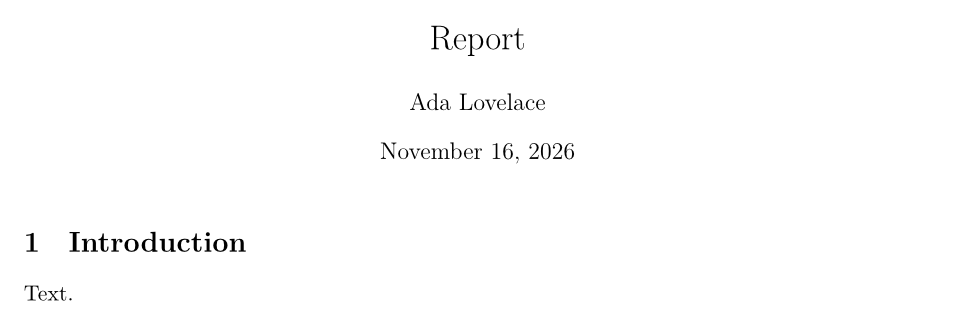
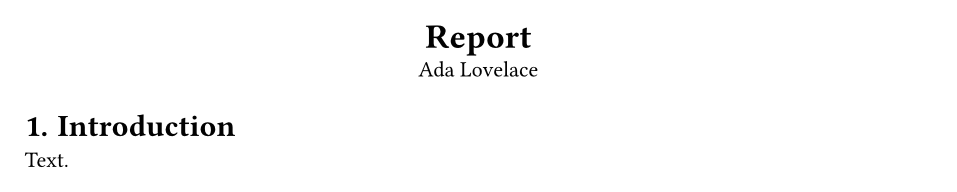
- No preamble boilerplate. A Typst document can start with text. There is no
\documentclass, no\begin{document}and no packages for basics such as math, images, tables, colours or links. - One language. Markup, styling and scripting are one consistent language, instead of macros, packages and their own option syntaxes.
- Set and show rules instead of redefinitions.
#set text(size: 11pt)replaces class options and\renewcommand, and#show heading: ...replaces packages liketitlesec. - Instant, single compile. References, tables of contents and bibliographies are resolved in one run, and the preview updates as you type.
- Clear errors. Messages point at the exact spot and say what is wrong.
Document structure
Everyday markup
| LaTeX | Typst |
|---|---|
\section{Intro} |
= Intro |
\subsection{Scope} |
== Scope |
\section*{Intro} |
#heading(numbering: none)[Intro] |
\emph{text}, \textit{text} |
_text_ |
\textbf{text} |
*text* |
\texttt{text} |
`text` |
\underline{text} |
#underline[text] |
\textcolor{red}{text} |
#text(fill: red)[text] |
{\large text} |
#text(size: 14pt)[text] |
\begin{itemize} \item A \end{itemize} |
- A |
\begin{enumerate} \item A \end{enumerate} |
+ A |
\begin{description} \item[T] D \end{description} |
/ T: D |
\\ |
\ |
\newpage |
#pagebreak() |
\vspace{1cm}, \hfill |
#v(1cm), #h(1fr) |
\begin{center} ... \end{center} |
#align(center)[...] |
\footnote{...} |
#footnote[...] |
\url{...}, \href{url}{text} |
https://..., #link("url")[text] |
\verb|x|, verbatim |
`x`, ``` blocks |
% comment |
// comment |
\tableofcontents |
#outline() |
\today |
#datetime.today().display() |
Math
Math in Typst uses names instead of backslash commands, and parentheses instead of braces.
| LaTeX | Typst |
|---|---|
$x^2$ |
$x^2$ |
\[ x^2 \] |
$ x^2 $ (spaces inside) |
x_{i+1} |
x_(i+1) |
\frac{a}{b} |
a/b or frac(a, b) |
\sqrt{x}, \sqrt[3]{x} |
sqrt(x), root(3, x) |
\alpha, \Gamma |
alpha, Gamma |
\leq, \neq, \to, \Rightarrow |
<=, !=, ->, => |
\infty, \pm, \times, \cdot |
oo, plus.minus, times, dot |
\mathbb{R} |
RR |
\mathbf{F}, \mathcal{A} |
bold(F), cal(A) |
\text{if} |
"if" |
\sum_{i=1}^n, \int_0^1 |
sum_(i=1)^n, integral_0^1 |
\left( ... \right) |
( ... ) (grows automatically) |
\begin{pmatrix} 1 & 2 \\ 3 & 4 \end{pmatrix} |
mat(1, 2; 3, 4) |
\begin{cases} ... \end{cases} |
cases(...) |
\begin{align} a &= b \\ &= c \end{align} |
$ a &= b \ &= c $ |
\label{eq:x} and \eqref{eq:x} |
<eq:x> and @eq:x |
\hat{x}, \vec{v}, \overline{x} |
hat(x), arrow(v), overline(x) |
Figures, tables and references
Bibliographies
| LaTeX | Typst |
|---|---|
\cite{knuth1984} |
@knuth1984 |
\cite[p.~7]{knuth1984} |
@knuth1984[p. 7] |
\citet{knuth1984} |
#cite(<knuth1984>, form: "prose") |
\bibliographystyle{ieeetr} \bibliography{refs} |
#bibliography("refs.bib", style: "ieee") |
Typst reads the same .bib files, so you can keep your existing bibliography.
Customisation
| LaTeX | Typst |
|---|---|
\documentclass[12pt]{article} |
#set text(size: 12pt) |
\usepackage[margin=2cm]{geometry} |
#set page(margin: 2cm) |
\usepackage{fontspec} \setmainfont{X} |
#set text(font: "X") |
\setlength{\parindent}{1em} |
#set par(first-line-indent: 1em) |
\usepackage{setspace} \onehalfspacing |
#set par(leading: 1em) |
\pagenumbering{roman} |
#set page(numbering: "i") |
\usepackage{fancyhdr} |
#set page(header: [...], footer: [...]) |
\usepackage{titlesec} |
#show heading: ... |
\newcommand{\R}{\mathbb{R}} |
#let R = $RR$ |
\newcommand{\note}[1]{...} |
#let note(body) = ... |
\input{chapter} |
#include "chapter.typ" |
| Packages from CTAN | #import "@preview/name:version" from Typst Universe |
| A document class | A template function used with #show: template.with(...) |
Moving a document from LaTeX to Typst
TypstDrive can convert a .tex file to Typst for you: choose New → Import in the drive and pick the file. The conversion uses Pandoc and handles text, headings, lists, emphasis, math, tables and links; custom macros and complex layouts need some manual work afterwards.
If you have to keep a document in LaTeX, for example for a journal, you can keep writing it in TypstDrive as a LaTeX document. See LaTeX documents.