Packages
A package is a reusable piece of Typst, such as a letter template or a set of helper functions, that other people can pull into their own documents with one line. TypstDrive has its own package library for everyone on your server.
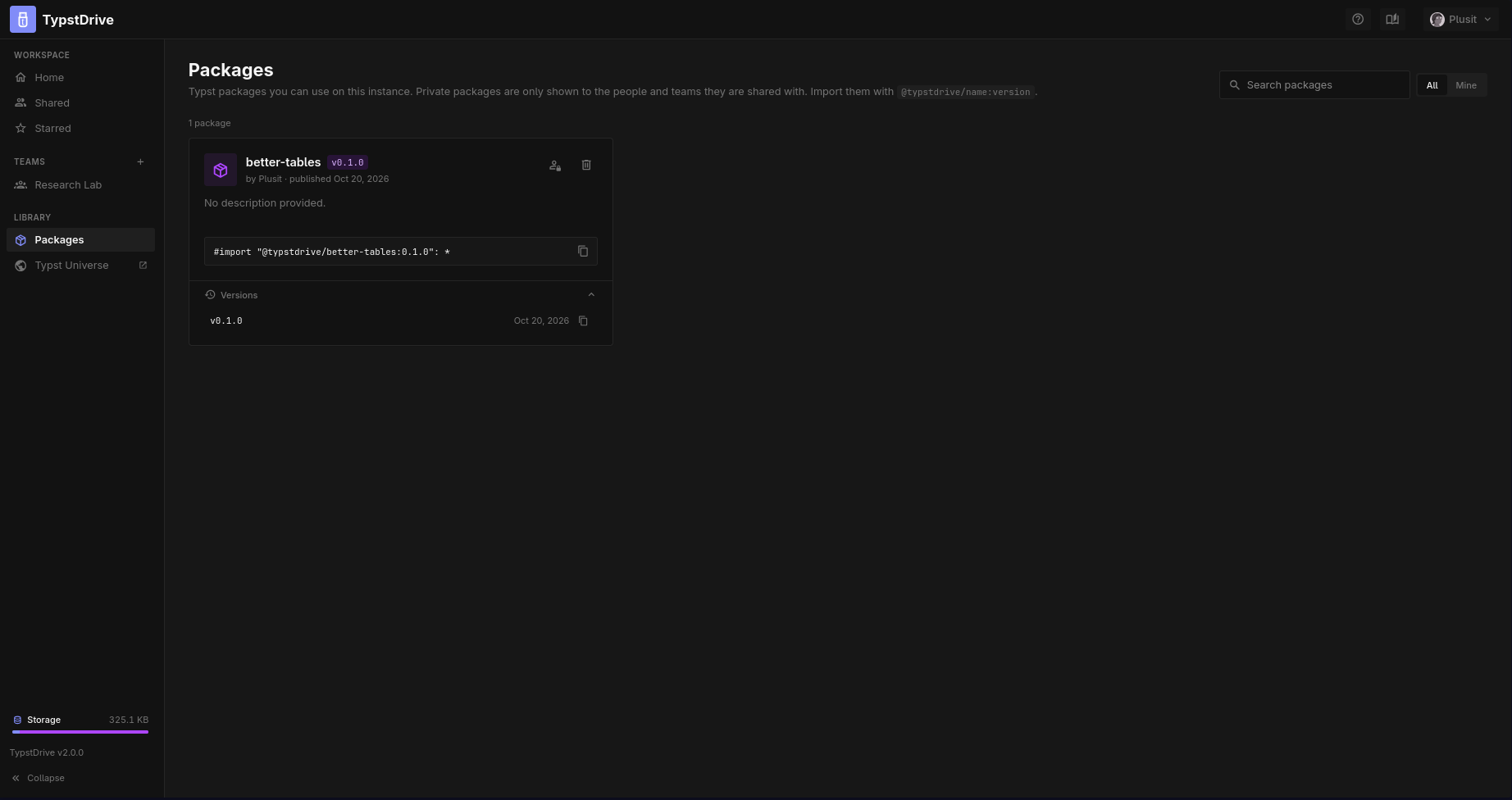
Using a package
Open Packages in the drive sidebar to browse what is available. Each package shows its description, author, latest version and an import line. Copy the line into your document:
Expand Versions to use an older version.
Packages from the public Typst Universe work too, with the usual @preview name.
Publishing a package
Any project can be published as a package.
- Fill in the project's
typst.tomlwith a name, version and entry point. - Choose Publish as Package from the project's File menu.
- Pick Public so everyone on the server can use it, or Private to choose who can.
Each published version is final and cannot be changed. To make changes, raise the version number in typst.toml and publish again.
Private packages
Use the lock button on a package card to open Access. There you can switch between public and private and, for a private package, add:
- People, by email. They can see and import the package.
- Team spaces you belong to. Every member, and every project in that team, can import it.
Packages published from a team space belong to the team.
Deleting a package
The person who published a package, and administrators, can delete it along with all of its versions. Documents that import it will stop compiling, so check first.
Your administrator may limit who can publish, how big packages can be and how many versions they keep. See Packages for administrators.