LaTeX: the basics
A LaTeX document is plain text with commands that start with a backslash, such as \section{Introduction}. You write the text and the commands, and the TeX engine lays out the pages. In TypstDrive, LaTeX is compiled by Tectonic, a modern TeX engine based on XeTeX.
The shape of every document
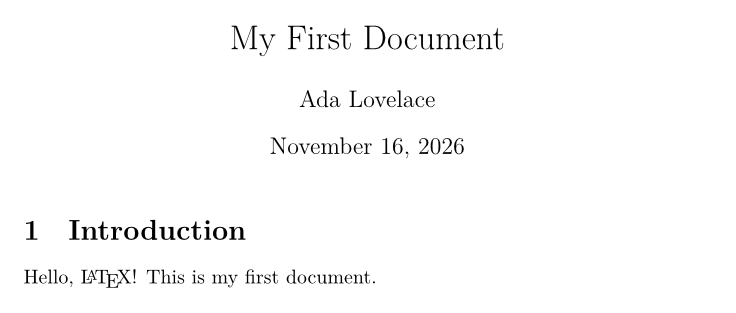
Every LaTeX document has two parts: the preamble, where you choose the document class and load packages, and the body, between \begin{document} and \end{document}, which holds what you see on the page.
\documentclass{article}
\usepackage{amsmath}

\title{My First Document}
\author{Ada Lovelace}
\date{\today}

\begin{document}
\maketitle

\section{Introduction}
Hello, \LaTeX! This is my first document.

\end{document}
\documentclass{article}picks the overall design. Common classes arearticlefor short papers,reportandbookfor longer works with chapters,letter, andbeamerfor slides.- Options go in square brackets:
\documentclass[11pt,a4paper,twocolumn]{article}. \usepackage{...}loads a package, which adds commands. Tectonic downloads packages the first time they are used, so almost every package from TeX Live just works.\maketitleprints the title, author and date given in the preamble.
Commands and environments
Commands start with a backslash. Required arguments go in curly braces and optional ones in square brackets.
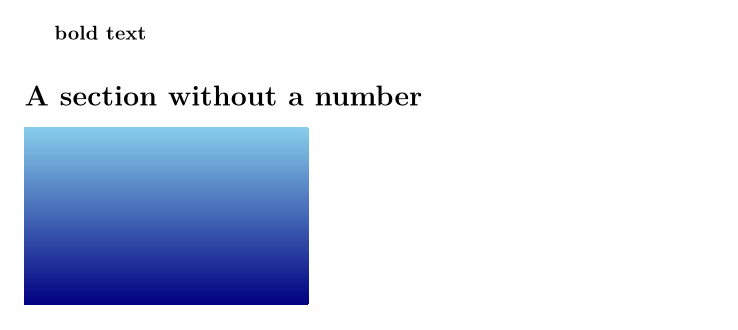
Environments wrap a part of the document between \begin{name} and \end{name}.
\begin{center}
This text is centred.
\end{center}

\begin{quote}
A quotation, indented on both sides.
\end{quote}

Every \begin needs a matching \end. In TypstDrive, typing \begin{itemize} adds the \end{itemize} for you, and the editor warns you when they do not match.
Paragraphs and line breaks
Like in Typst, a single line break is ignored and an empty line starts a new paragraph. Several spaces count as one.
This is the first paragraph. It continues
on this line.

This is a second paragraph.\\
This line starts after a forced line break.

\\ forces a line break. Use it sparingly, mostly in tables, addresses and poems. \newpage starts a new page.
Sections
\section{Introduction}
\subsection{Background}
\subsubsection{Details}
\paragraph{A run-in heading.} The text continues on the same line.
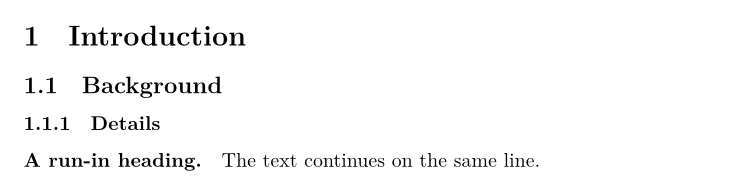
Sections are numbered automatically. Add * for an unnumbered one: \section*{Acknowledgements}. Classes report and book add \chapter{...} above \section. \tableofcontents prints a table of contents; it needs a second pass, which TypstDrive runs for you.
Emphasis and text styles
| You type | You get |
|---|---|
\emph{emphasis} |
emphasis, usually italic |
\textbf{bold} |
bold |
\textit{italic} |
italic |
\texttt{monospace} |
monospace |
\textsc{Small Caps} |
small capitals |
\underline{underlined} |
underlined |
\textsuperscript{th} and \textsubscript{2} |
superscript and subscript in text |
Sizes from smallest to largest: \tiny, \scriptsize, \footnotesize, \small, \normalsize, \large, \Large, \LARGE, \huge, \Huge. They apply until the end of the group, so wrap them in braces:

For colour, load xcolor: \usepackage{xcolor}, then \textcolor{red}{red text}.
In TypstDrive, the toolbar and Ctrl+B, Ctrl+I and Ctrl+E insert \textbf, \textit and \texttt for you.
Lists
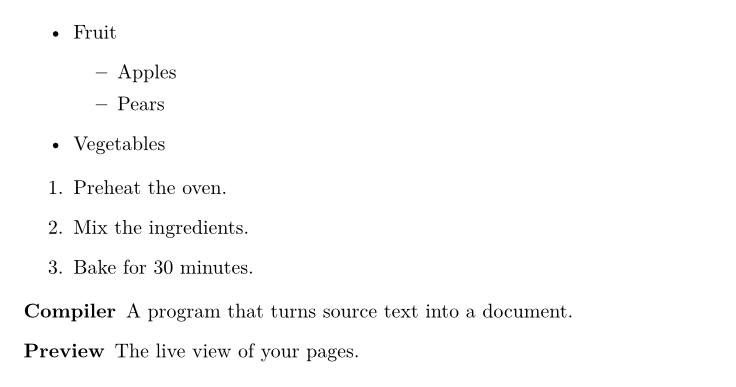
\begin{itemize}
  \item Fruit
  \begin{itemize}
    \item Apples
    \item Pears
  \end{itemize}
  \item Vegetables
\end{itemize}

\begin{enumerate}
  \item Preheat the oven.
  \item Mix the ingredients.
  \item Bake for 30 minutes.
\end{enumerate}

\begin{description}
  \item[Compiler] A program that turns source text into a document.
  \item[Preview] The live view of your pages.
\end{description}
Special characters
These characters have a meaning in LaTeX: # $ % & ~ _ ^ \ { }. Type them like this:
| Character | You type |
|---|---|
#, $, %, &, _ |
\#, \$, \%, \&, \_ |
{ and } |
\{ and \} |
~ |
\textasciitilde{} |
^ |
\textasciicircum{} |
\ |
\textbackslash{} |
Other useful marks:
| You type | You get |
|---|---|
``quotes'' |
curly double quotes |
`single' |
curly single quotes |
-- |
an en dash, as in 1990--2000 |
--- |
an em dash |
\ldots |
an ellipsis |
~ |
a space that never breaks, as in Fig.~1 |
Because Tectonic uses XeTeX, you can type accented letters and symbols such as é, ü, ß, € and — directly. You do not need inputenc or fontenc.
Comments
A % starts a comment that runs to the end of the line. In TypstDrive, Ctrl+/ comments the selected lines out.

Code listings
verbatim shows text exactly as typed. For syntax colours, use the listings package. (minted does not work in TypstDrive, because it needs to run an outside program.)
\documentclass{article}
\usepackage{listings}
\usepackage{xcolor}
\lstset{basicstyle=\ttfamily\small, keywordstyle=\color{blue}, frame=single}

\begin{document}
Run \verb|npm install| first.

\begin{lstlisting}[language=Python]
def greet(name):
    return f"Hello, {name}!"
\end{lstlisting}
\end{document}

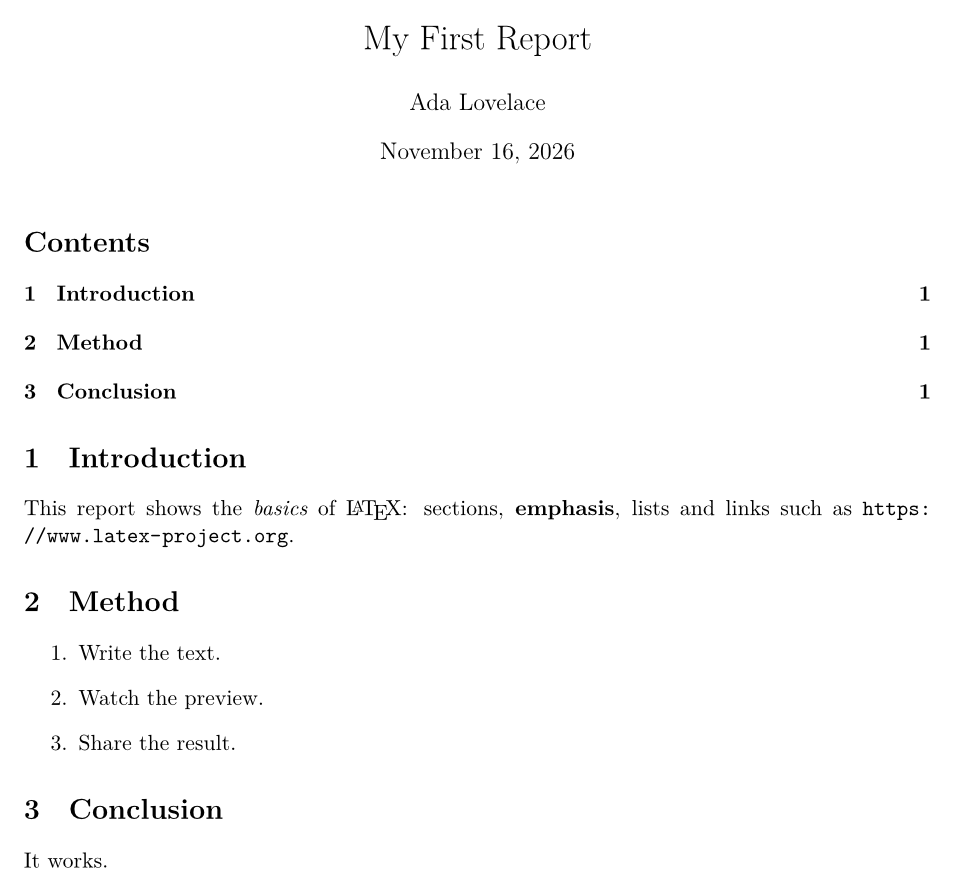
A complete first document
\documentclass[11pt,a4paper]{article}
\usepackage[margin=2.5cm]{geometry}
\usepackage{hyperref}

\title{My First Report}
\author{Ada Lovelace}
\date{\today}

\begin{document}
\maketitle
\tableofcontents

\section{Introduction}
This report shows the \emph{basics} of \LaTeX: sections,
\textbf{emphasis}, lists and links such as \url{https://www.latex-project.org}.

\section{Method}
\begin{enumerate}
  \item Write the text.
  \item Watch the preview.
  \item Share the result.
\end{enumerate}

\section{Conclusion}
It works.

\end{document}
Reading errors
When LaTeX stops, the error bar shows the message and line. The most common ones:
| Message | Usual cause |
|---|---|
Undefined control sequence |
A typo in a command, or a command from a package you did not load. |
Missing $ inserted |
A math symbol such as _ or ^ outside math. |
Missing } inserted or Extra } |
Unbalanced braces. |
\begin{x} ended by \end{y} |
Environments closed in the wrong order. |
File 'x.sty' not found |
A misspelled package name. |
Fix the first error first: later ones are often caused by it.
Next steps
Write formulas in Math.